
Watching adult content in VR is a little different from watching it on your phone or laptop. Once that headset is on, you’re quite literally in your own little world — and that means a few simple precautions are worth taking.
Nothing complicated. Just a quick before, during and after routine to keep your session safe, private and interruption-free.
1. Before You Watch
Make sure you won’t be disturbed
This one sounds obvious, but a VR headset and headphones can make you surprisingly unaware of what is happening around you. You might not notice someone walking into the room until they’re standing right next to you.
So, close the door, silence your phone and make sure you have some privacy before you start. Your future self will thank you.
Close the curtains and turn on the lights
Most modern VR headsets use their cameras to track the room and understand where you are. Good lighting helps them do their job properly.
So close the curtains if you want privacy, but don’t sit in complete darkness. A little light gives the headset’s cameras a much better view of your surroundings and can make tracking more reliable.
Privacy and better tracking. Two birds, one curtain.
Go offline
Many VR platforms and apps include social features, friends lists or chat functions. If you don’t want friends seeing that you’re online, set your status to offline or invisible before starting your session.
Because “Jason is playing VR” is one thing. “Jason is playing VR at 11:47 PM” is information your friends probably don’t need 😉
Check the website
Stick to reputable adult VR sites and services. Be cautious with unfamiliar websites, suspicious redirects, aggressive pop-ups and anything asking you to install software or browser extensions just to watch a video.
If a site suddenly tells you that you urgently need to install three different players, it’s probably time to leave.
Prepare your play area
Clear the area around you before putting on the headset. Move furniture, cables, pets and anything else you could accidentally run into.
Remember: your headset knows where the virtual wall is. Your coffee table doesn’t care.
2. While You Watch
Keep an eye on your surroundings
Even with a properly prepared play area, remember that your real-world surroundings are largely hidden while you’re wearing the headset.
Avoid walking around unnecessarily and be especially careful if you’re using a headset with limited passthrough or tracking.
Don’t download things you don’t need
You normally shouldn’t need strange software, extensions or unknown players to watch VR content.
If something starts downloading unexpectedly, stop and check what it is before opening or installing anything.
Protect your privacy
Be aware of what you’re logged into and where you’re browsing. Avoid entering sensitive information on unfamiliar sites and be particularly careful when using a shared headset or computer.
And remember: incognito mode isn’t a magic invisibility cloak. It can prevent local browser history from being saved, but it doesn’t make you anonymous online.
3. After You Watch
Close your session
Close the browser or VR app and log out where appropriate, particularly if someone else can use the device.
If you enabled social features or changed your online status, don’t forget to switch them back afterwards.
Check your downloads & Clear browser history
Take a quick look at your downloads folder and remove anything you don’t recognise or no longer need. Make sure to check your browser history and remove everything (from this session).
Clean your headset
Give the headset and facial interface a quick clean according to the manufacturer’s recommendations. This is especially important if the headset is shared with someone else.
A clean headset is a happy headset. And considerably nicer to put back on.
Store it safely
Put your headset somewhere dry and safe, away from direct sunlight and anything that could scratch the lenses. And make sure it get’s fully charged for your next session.
And ideally, don’t leave it lying around with the headset still displaying the last thing you watched. Future-you doesn’t need that kind of surprise.
The Simple Rule
You don’t need to be a cybersecurity expert to watch adult VR content safely.
Just remember:
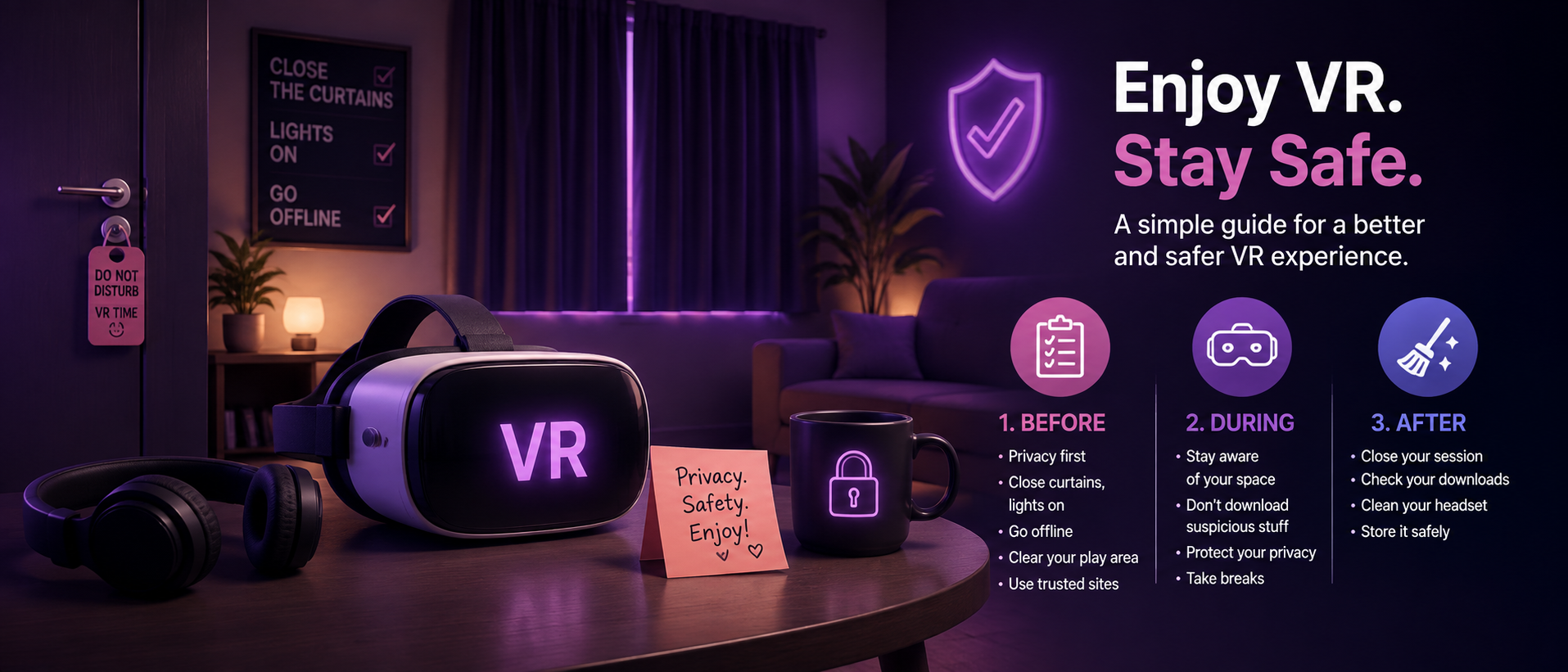
Before: protect your privacy, prepare your room and make sure you won’t be disturbed.
During: use trustworthy sites, stay aware of your surroundings and take breaks.
After: close your session, check your downloads and clean your headset.
A few simple habits can make your VR experience safer, more private and a lot less awkward.